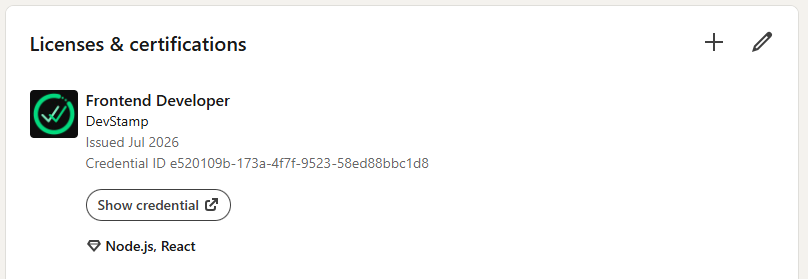
From your code to your LinkedIn
DevStamp turns your real GitHub work into verified proof you can share. Here's the whole journey, three simple steps.
Verify your skills
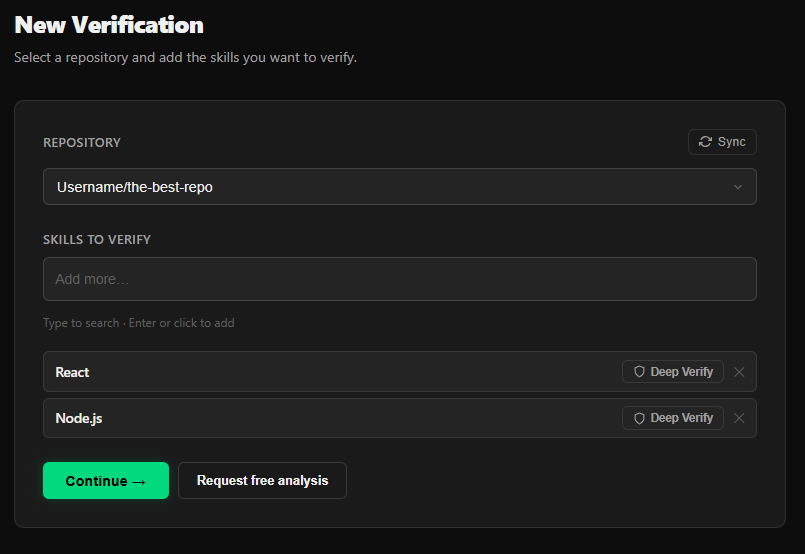
Sign in with GitHub and pick one of your repositories. Add the skills you want to prove (a language, a framework, a tool), and DevStamp turns your real code into an honest, evidence-based rating for each one.
Want the strongest proof? Turn on Deep Verify on any skill for a more rigorous check that can earn a special badge.
Pick one of your repositories and add the skills you want to prove.
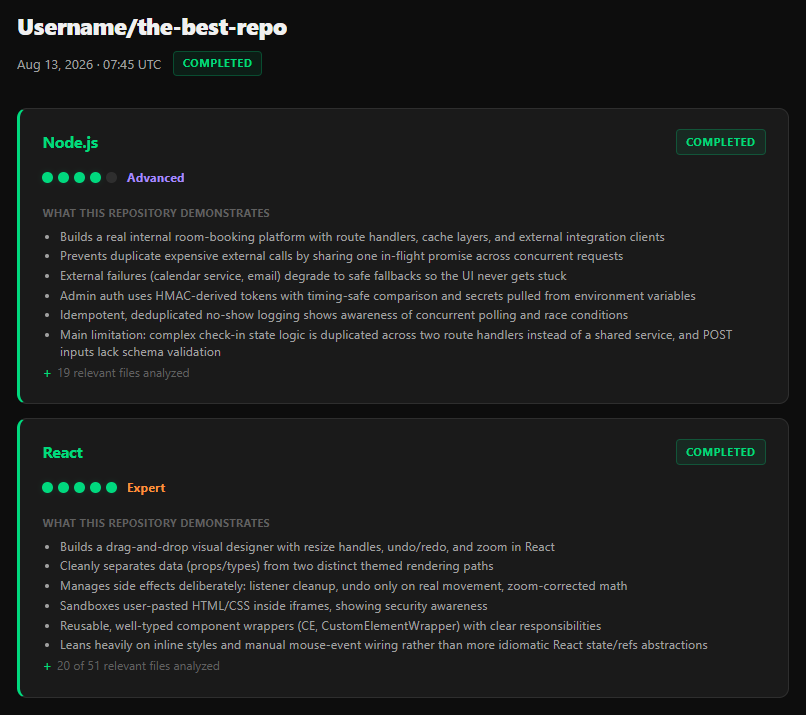
DevStamp analyzes your real code and rates each skill with evidence.
Create your certificate
Once your skills are rated, bundle the ones you're proud of into a certificate. Give it a title like "Backend Developer," choose which skills to include, and it's ready to share.
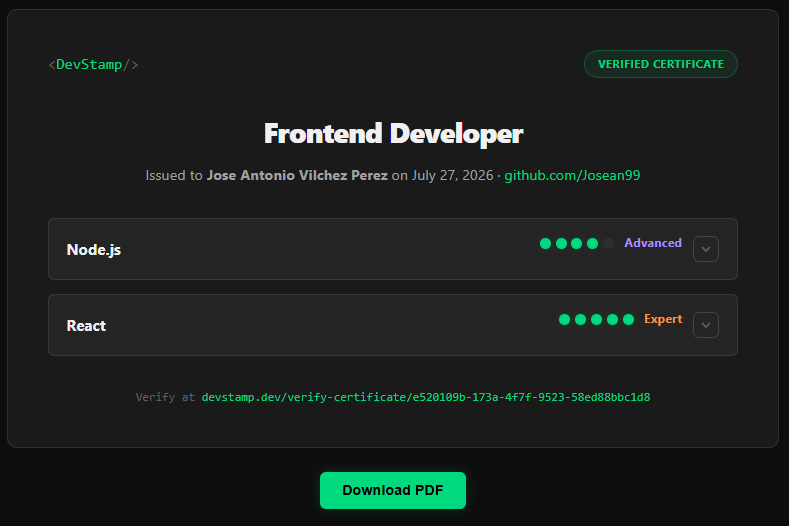
Every certificate gets its own public, verifiable link, anyone can open it and see your ratings, backed by your real work.
Bundle the skills you're proud of into a certificate and give it a title.
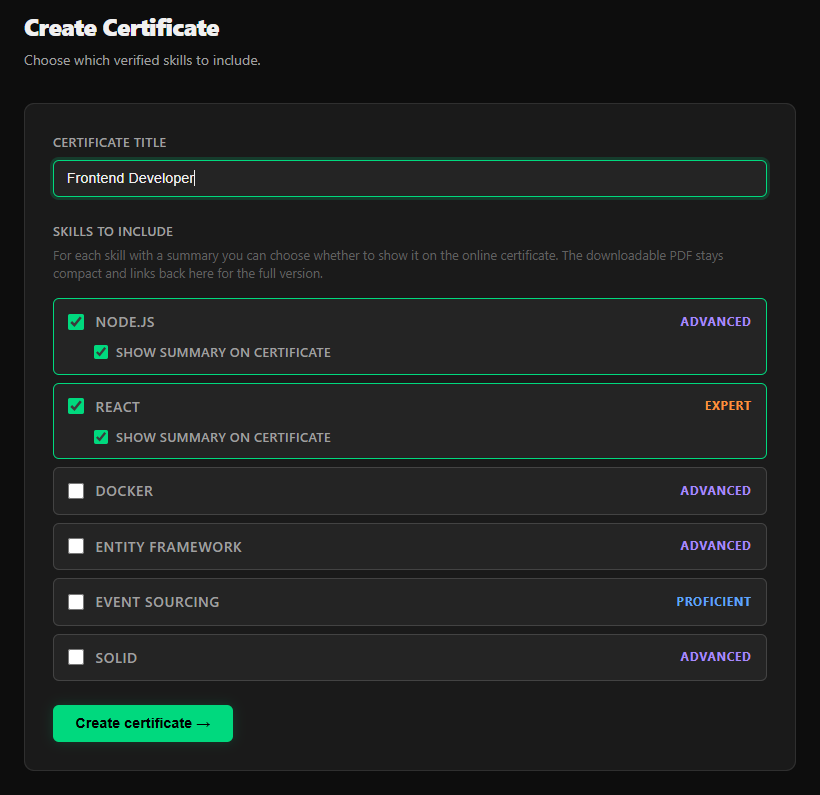
Your certificate is generated with your verified ratings.
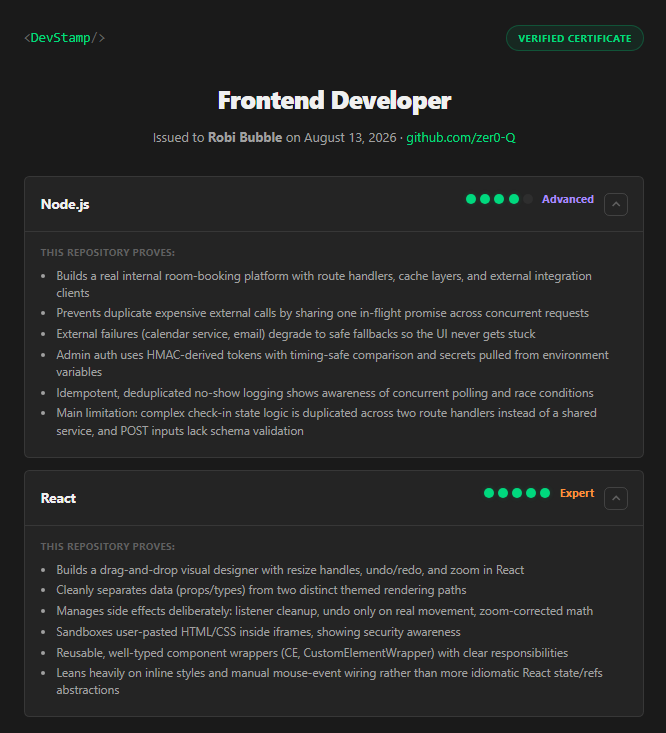
Share it anywhere with its own public, verifiable link.
Add it to LinkedIn
Show your verified skills where recruiters look. On your LinkedIn profile, choose Add profile section → Recommended → Add licenses & certifications.
Use your certificate title as the name, set the issuing organization to DevStamp, and paste your certificate link as the credential URL. Now anyone can click through and verify it.
On your LinkedIn profile, add it under Licenses & certifications.
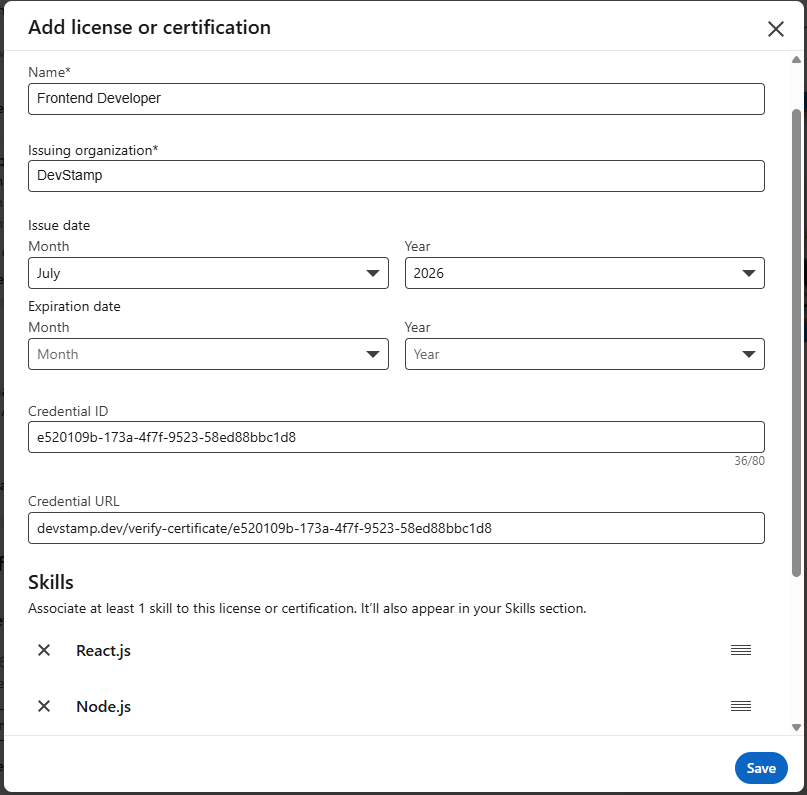
Your verified certificate now appears on your profile for recruiters to check.